Your text never leaves your Mac

Rewrite anything.
Without switching apps.

Select text anywhere on your Mac, press a shortcut, get a better version in seconds. AI runs entirely on your device — no cloud, no API keys, no accounts.

Download for Mac ★ Star on GitHub macOS 14+ · Apple Silicon · Free
How to install:
1. Open the downloaded Rephraser-Installer.dmg
2. Drag Rephraser into the Applications folder
3. If macOS blocks it, run this in Terminal:
xattr -d com.apple.quarantine /Applications/Rephraser.app
Enjoying Rephraser? Buy me a coffee ☕
Slack Gmail Notion VS Code Discord Chrome Safari Pages Notes Any app

Three steps. Two seconds.

No menus, no context switching, no copy-pasting into ChatGPT.

Step 01

Select text

Highlight text in any app — email, Slack, a Google Doc, your IDE.

Step 02

Press your shortcut

Hit ⌥⇧R (or your custom combo). A floating panel streams the result in real time.

Step 03

Accept or switch

Enter to replace, Escape to cancel. Toggle diff view or change modes before deciding.

See it in action.

Click any image to view full size. Navigate with arrows or keyboard.
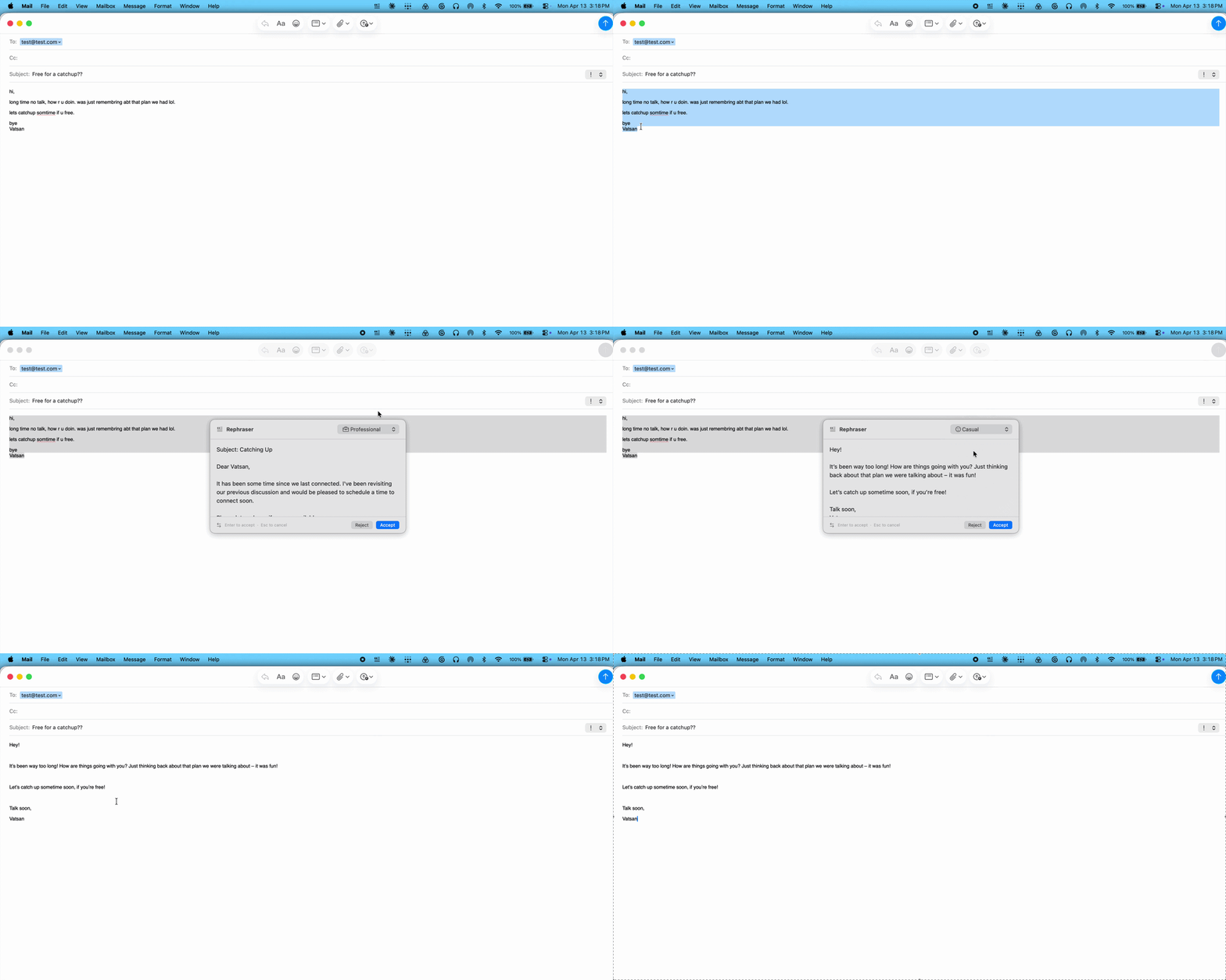
Rephraser in action
In Action
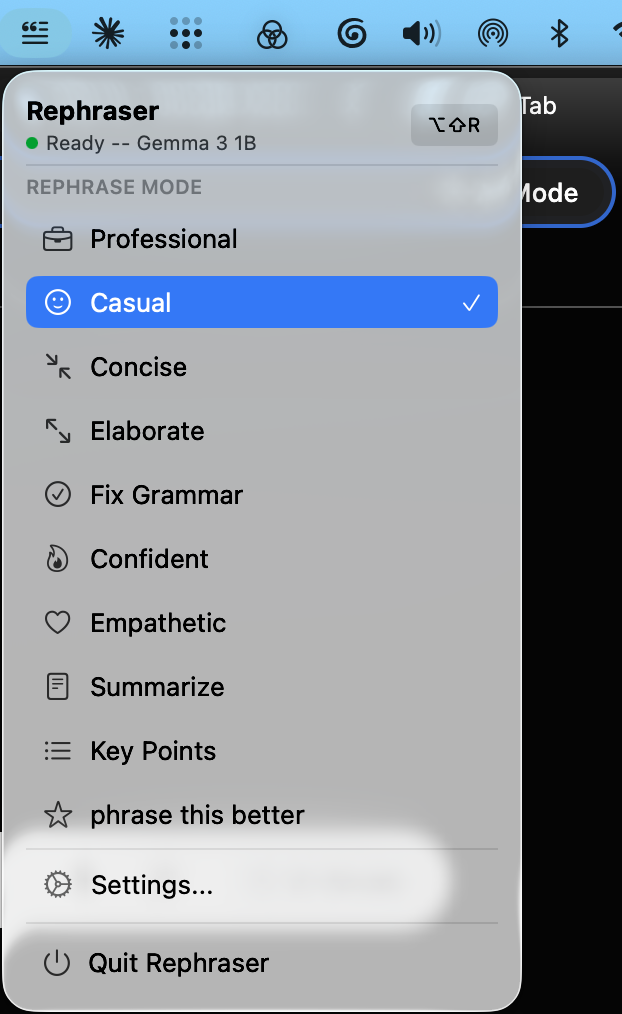
Menu Bar
Menu Bar
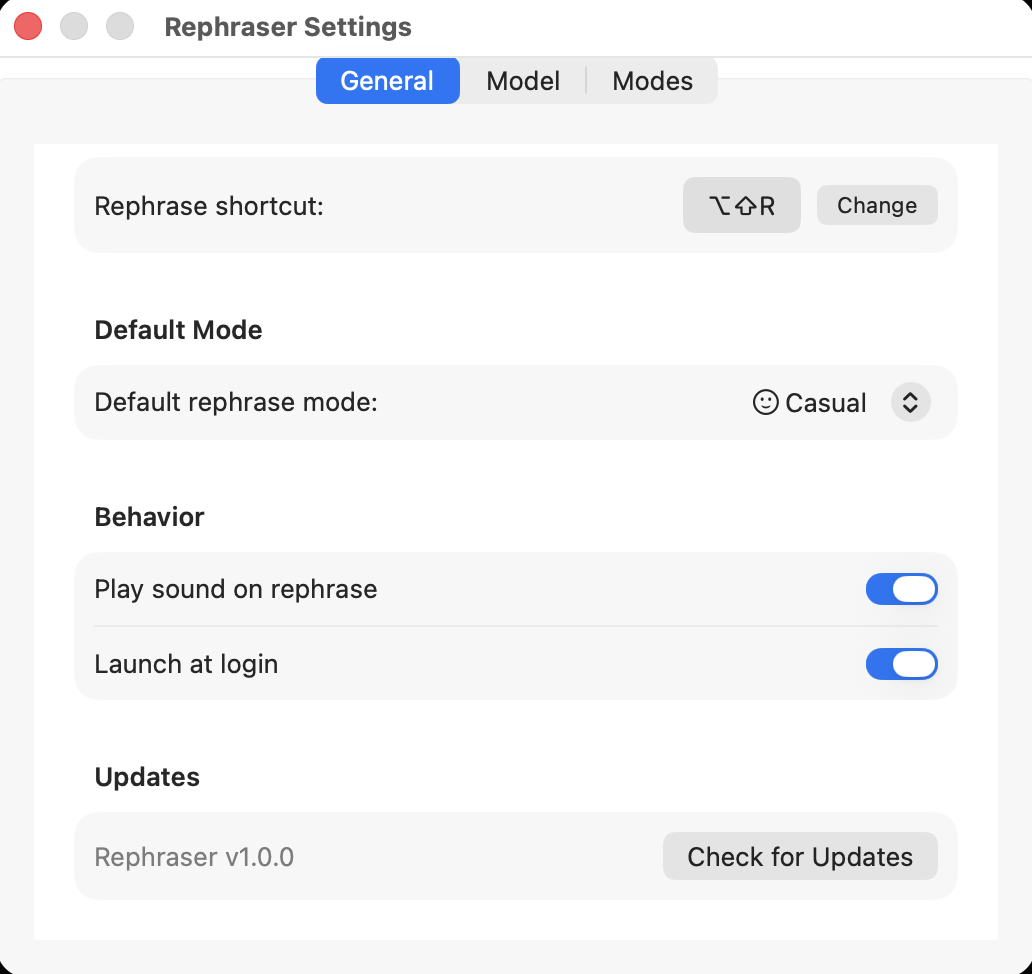
General Settings
General
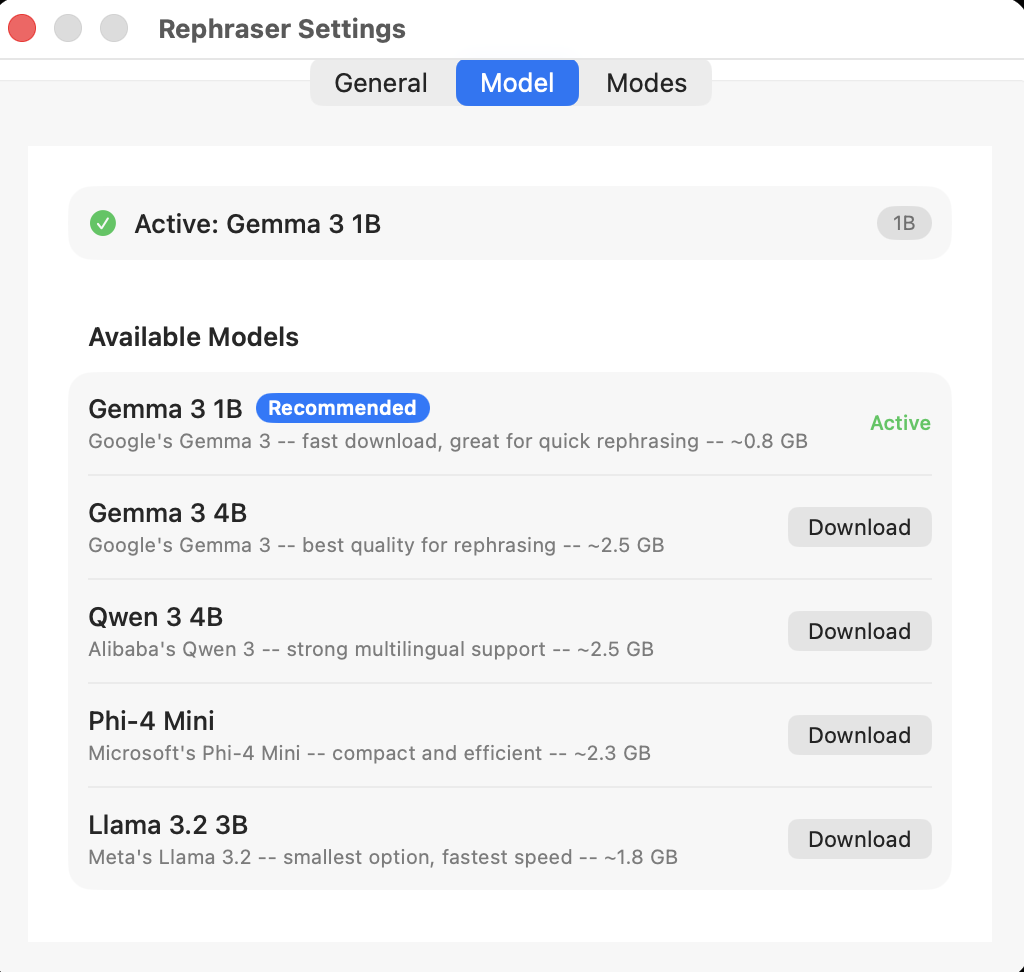
AI Models
Models
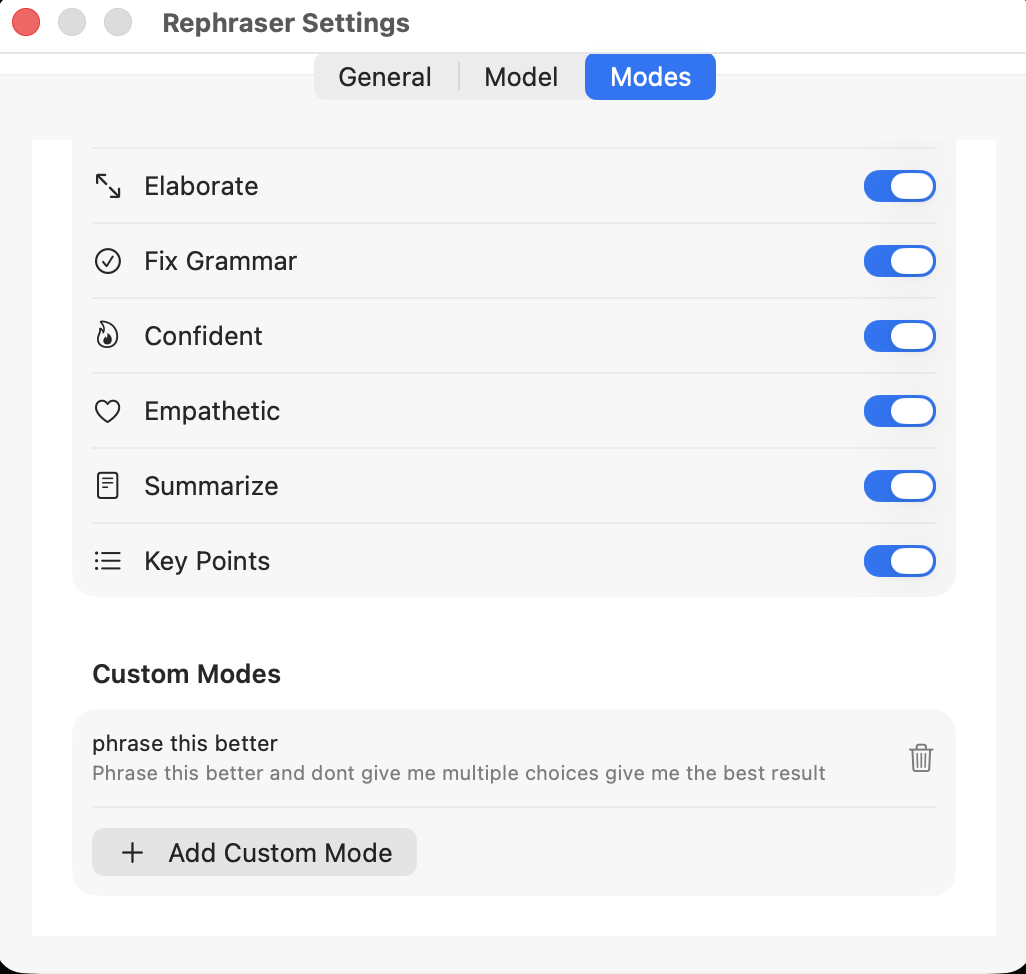
Writing Modes
Modes

Everything else you get.

On-device AI

Apple MLX. Your text never leaves your Mac.

Context-aware

Slack → casual. Gmail → professional. Auto.

Streams live

First token in under 2s. No spinner.

Diff view

See exactly what changed before accepting.

9 modes + custom

Write your own system prompts.

5 AI models

Gemma 3, Qwen 3, Phi-4, Llama 3.2.

Custom shortcut

Any key combo. Set in Settings.

Works everywhere

System-wide. No plugins needed.

Fully offline

No internet after model download.

Clipboard safe

Images, files, rich text — all restored.

Launch at login

Menu bar app. Always ready.

Timeout safety

30s limit. Auto-cancels if stuck.

Rephraser vs Apple Intelligence

Apple's Writing Tools give you 3 fixed tones, route complex requests through cloud servers, fail in WhatsApp and web editors, and are blocked in China.

Rephraser gives you 9 modes, custom prompts, model choice, context-aware suggestions, diff view, and works in every app. All on your device.

RephraserApple AI
Works in every app
100% on-device
Available worldwide
9 modes + custom3 fixed
Choose AI model
Context-aware
Diff view
Custom shortcut
Works offlinePartial

9 writing modes. Unlimited custom ones.

Apple gives you Friendly, Professional, and Concise. Rephraser ships with 9 — and you can write your own system prompts for anything else.

Professional Casual Concise Elaborate Fix Grammar Confident Empathetic Summarize Key Points + Your custom modes

Pick your AI model.

Gemma 3 1B downloads automatically on first launch. Swap anytime in Settings — no terminal needed.

Gemma 3 1B Default

Fast download · Great for quick rephrasing · ~0.8 GB

Gemma 3 4B

Best quality · ~2.5 GB

Qwen 3 4B

Strong multilingual · ~2.5 GB

Llama 3.2 3B

Smallest and fastest · ~1.8 GB

Stop copy-pasting
into ChatGPT.

One shortcut. Nine modes. Fully private. Runs on your Mac.

Download for Mac

macOS 14 (Sonoma) · Apple Silicon (M1+) · ~0.8 GB for default AI model

Frequently asked questions

Is Rephraser free?

Yes. Rephraser is completely free — no subscriptions, no API keys, no hidden costs. The AI model runs locally on your Mac.

Does Rephraser send my text to the cloud?

Never. Rephraser runs 100% on your device using Apple MLX. Your text never leaves your Mac — not even for analytics or telemetry.

How is this different from Apple Intelligence?

Apple's Writing Tools offer 3 fixed tones, fail in many apps like WhatsApp, route complex requests to the cloud, and are blocked in some countries. Rephraser offers 9 modes plus custom ones, works in every app, stays fully on-device, includes a diff view, and is available worldwide.

Does it work offline?

Yes. After the initial model download (~0.8 GB), Rephraser works with zero internet. Airplanes, coffee shops, VPN tunnels — anywhere your Mac works.

What Mac do I need?

macOS 14 (Sonoma) or later with Apple Silicon (M1, M2, M3, M4 or later). About 0.8 GB of free disk space for the default AI model.

Can I use my own writing style or custom prompts?

Yes. Beyond the 9 built-in modes, you can create unlimited custom modes with your own system prompts to match any writing style or use case.

Get Rephraser

Enter your email to download. No spam — just release updates if you want them.

Built with love. Kept free.

Rephraser is free, open source, and has no ads. If it saves you time, consider buying me a coffee. Every bit helps keep development going.